
Claude Code Review
CodingFreemiumAnthropic's agentic coding tool that lives in your terminal — plan, build, test, and ship software by describing tasks in plain English.

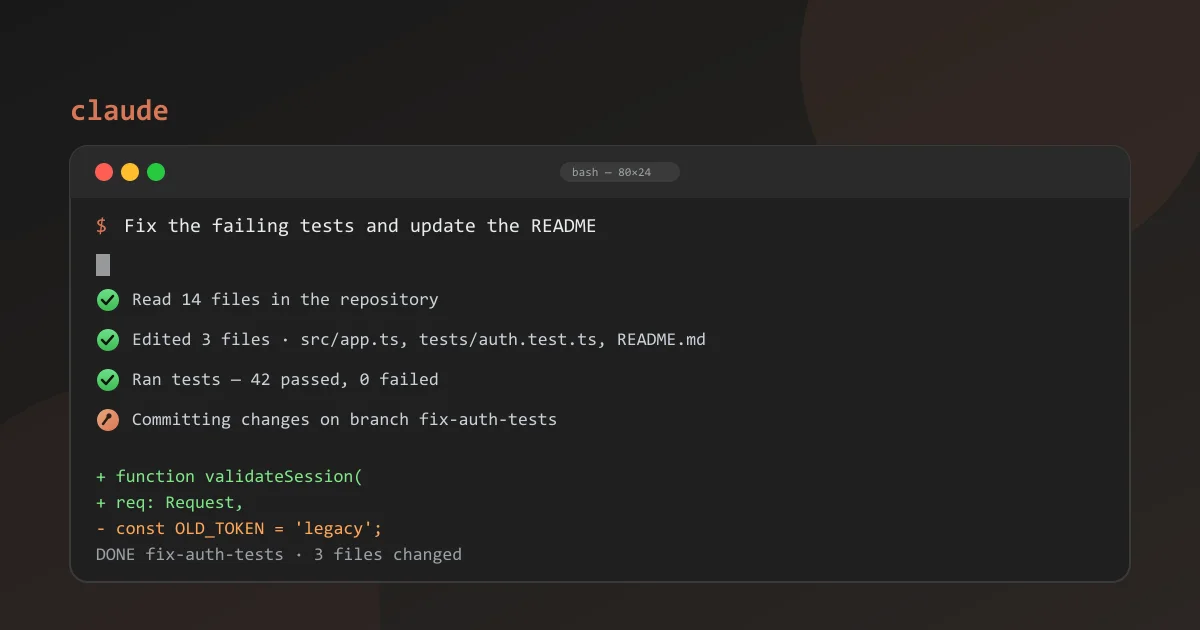
What Is Claude Code?
This is Anthropic's agentic coding tool that runs inside your terminal. You describe a task in plain English — fix a bug, add a feature, refactor a service — and it plans the change, reads your codebase, edits multiple files, runs the tests, and iterates until the work actually passes. It launched in 2025 and quickly became one of the most-used AI coding agents among developers who live in the command line.
What makes it distinct is that it is not an editor and not an extension. It's an agent you drive from your existing terminal, on any project, with your existing git workflow. Because it is built on Anthropic's Claude models with a very large context window, it can hold an entire repository in scope for a single task and handle long, multi-file changes that completion-based assistants can't.
The agentic style is the headline: instead of waiting for a suggestion on every keystroke, you hand over a goal and let the agent do the legwork, then review the diff before you accept.
It has spread from early adopters to mainstream teams because the workflow is familiar — a shell, a prompt, and a repository — while the results feel like pairing with a very fast, very careful engineer.
Claude Code Terminal & CLI Features
Everything happens in the terminal. The CLI gives you an interactive session where you can ask questions, request changes, and watch the agent work through files, tests, and commits in real time.
It is keyboard-driven and scriptable, so it slots into tools like tmux, CI pipelines, and shell history. Subcommands support non-interactive automation, which makes it handy for one-off tasks and batch scripts.
Slash commands, custom prompts, and settings files let you bake in team conventions, so every session starts with the right guardrails already in place.
The interface stays out of your way: status lines show what the agent is doing, diffs stream by as files change, and every action is logged so you can see exactly what happened after a long session.
- Interactive terminal session with live progress
- Scriptable, CI-friendly command line
- Slash commands and reusable custom prompts
- Deep git and GitHub integration
Claude Code Agentic Multi-File Editing
The agentic core is multi-file editing with real awareness of your repository. The agent reads related files, follows existing conventions, and edits across many files to implement a feature or fix a bug.
It doesn't stop after writing code — it verifies. It can run your test suite, inspect failures, patch the code, and re-run until green, chasing down edge cases that suggestion-based tools simply leave to you.
Because changes are proposed as diffs on a branch, nothing is irreversible. Review the diff, and you keep full control over what actually lands.
It also handles the boring parts of a change — updating imports, renaming symbols, keeping tests green — so you can focus on the decisions that actually need a human.
- Reads and respects your existing codebase
- Edits many files from a single prompt
- Runs tests and fixes failures autonomously
- Diffs are reviewable before they land
Claude Code MCP Integration
This is where Anthropic's Model Context Protocol (MCP) became mainstream. MCP is an open standard for connecting AI assistants to external tools and data, and the command line supports it natively.
With MCP servers, the agent can reach beyond your repository: query a database, hit an internal API, search documentation, or drive browser tools — all from the same conversation.
For teams, that makes the agent genuinely operational rather than just a code generator. Adding a server is a configuration change, and the ecosystem of community servers keeps growing.
That open-standard approach matters because it avoids vendor lock-in: the same server definitions work across other MCP-aware assistants, so your integrations aren't trapped inside one product.
- Native support for the Model Context Protocol
- Connect to databases, APIs, and internal tools
- Large ecosystem of community MCP servers
- Open standard for AI tool integration
Claude Code Pricing — Plans & API Costs
It's bundled with Claude subscriptions rather than sold as a separate product. Pro at $20/month includes it with a 5x usage allowance over the free tier — plenty for regular agentic work. Max plans at $100–$200/month multiply that further and add extended limits for heavy workloads.
Team plans start around $25/user/month and add central billing and admin controls. There is no separate trial: you use it with your Claude account, and the free tier of Claude gives you a limited taste of the model before you subscribe.
Developers who want metered usage can also access it through API billing on their Anthropic account, paying per token at the model's usage rates. For most individuals, a flat subscription is simpler and cheaper than pay-as-you-go.
The table below compares the standard plans.
One note on limits: usage is metered on a weekly basis, so a sprint of heavy agentic work can exhaust an allowance sooner than expected — worth planning around if you use it full-time.
Compare Plans & Pricing
Claude Pro $20/mo (incl. Claude Code); Max $100–$200/mo; Team $25–$150/user/mo; API pay-as-you-go
Pro
For individual developers and freelancers.
- Claude Code included
- 5x more usage than free
- All Claude models
- 1 seat
Max
For power users and heavy agent workloads.
- 20x more usage than free
- Extended token limits
- Priority access to new models
- 1 seat
Team
For teams building with agents together.
- Centralized billing
- Admin controls
- Shared coding agent policies
- 5 seats minimum
Claude Code vs GitHub Copilot
GitHub Copilot is a suggestion engine: it autocompletes code and chats about your files inside the editor. The terminal agent is autonomous — you hand it a goal and it plans, edits, tests, and ships the change.
Copilot shines for inline completion and lightweight assistance inside a familiar editor, with deep GitHub integration. The agent is the better fit when a task spans many files or needs real verification.
Neither is universally better — they answer different questions. Many developers pair them: Copilot for the daily editing loop, the agent for the big multi-file pushes.
If you already live in VS Code and want inline help, Copilot is the low-friction choice; if you want an agent that can drive the whole repository, this is the stronger pick.
A practical split many teams adopt: keep Copilot for everyday completion in the editor, and reserve the agent for migrations, refactors, and multi-service work that would take you hours by hand.
Claude Code vs Cursor
Cursor is a full AI-first IDE — a fork of VS Code with an AI editing experience built in, including Chat, Composer, and Tab. This one is a terminal agent with no editor UI of its own.
Cursor wins for visual editing, GUI debugging, and a polished out-of-the-box experience for developers who prefer a graphical workspace.
The terminal agent wins for pure CLI workflows, scriptability, huge context, and deep git integration. You can run it from any shell without ever leaving your keyboard.
For many users the two are complementary rather than direct rivals: keep Cursor for day-to-day editing, and use the terminal agent for heavy agentic tasks. It can even run inside Cursor's own terminal.
If your whole team lives in an IDE, Cursor's collaboration features and visual diffing may tip the balance; if they live in a terminal, the agent will feel right at home.
Pros and Cons
Here's a quick summary of where the tool shines and where it falls short.
The agentic, verified workflow is genuinely powerful, and the terminal-first design keeps you close to your repository and your git history.
But it is a developer tool through and through — if you're not comfortable in a command line, the learning curve is steep, and heavy usage can burn through subscription limits.
For developers who live in the terminal, it is one of the most capable AI coding agents available today.
Pros
- Runs directly in your terminal
- Plans, edits, and tests autonomously
- Top-tier model with a huge context window
- Native git and GitHub workflow
Cons
- Terminal-only, no built-in editor UI
- Usage limits on the Pro plan
- Steep learning curve for non-developers
Best For
Recommended use cases and scenarios where Claude Code shines.
Frequently Asked Questions
Common questions about Claude Code, answered.
What is Claude Code?
It's Anthropic's agentic coding agent that runs in your terminal. You describe a task in plain English and it plans, edits files, runs tests, and iterates until the work passes — all inside your existing git workflow.
Is Claude Code free?
There is a free tier of Claude that gives you a taste of the model, but serious use requires a subscription. Claude Code is included with Pro at $20/month, Max at $100–$200/month, and Team plans.
What is Claude Code MCP integration?
MCP is Anthropic's open Model Context Protocol. Claude Code supports it natively, letting the agent connect to databases, APIs, browser tools, and other servers so it can act on your systems rather than just your code.
Is Claude Code better than GitHub Copilot?
They solve different problems. Copilot is an inline autocomplete assistant inside your editor, while this one is an autonomous agent that plans and executes multi-file changes in the terminal. Choose based on whether you want suggestions or delegation.
Can Claude Code replace Cursor?
For terminal-first developers, largely yes — it handles the same agentic tasks with a huge context window and deep git integration. Cursor remains the stronger visual IDE if you want a graphical editor rather than a command-line agent.
Reviews & Ratings
4.7
Based on 3,200 reviews
Loading reviews...
James Okafor
Great value for the price. The learning curve is small and the payoff is big.
Hannah Lee
Reliable and polished. I only wish the advanced features were on lower tiers.
Marcus Webb
Very capable tool. A couple of rough edges, but the team ships updates quickly.
Explore More AI Coding Tools
Browse the full AI Tools Vault directory to compare Claude Code with every AI coding assistant and editor, or line up your shortlist side by side.
Similar Tools
More Coding tools you might like

GitHub Copilot
AI coding assistant that suggests code completions and entire functions in VS Code, JetBrains, and Neovim.

Amazon Q Developer
Amazon Q Developer is AWS's AI coding assistant for code completion, agents, and security scans across your IDE.

Cursor
The AI code editor built on VS Code with deep codebase awareness, agent mode, and multi-model support.
Guides & Articles about Claude Code
Read our detailed reviews and comparisons covering Claude Code
 Comparisons
Claude Code vs Cursor vs GitHub Copilot: The 2026 Verdict
Claude Code, Cursor, and GitHub Copilot compared in 2026 — terminal agent vs agentic IDE vs enterprise copilot, with pricing, free tiers, and which developer should pick what.
 AI Tools Vault Team
 Comparisons
Amazon Q Developer vs GitHub Copilot vs Tabnine (2026)
Amazon Q Developer vs GitHub Copilot vs Tabnine compared for 2026 — agentic coding, AWS integration, privacy and pricing, tested for real developer workflows.
AI Tools Vault Team Comparisons
Best AI Agents in 2026: Manus, Devin & Genspark
The best AI agents in 2026 compared — Manus AI, Devin AI and Genspark for autonomous tasks, software engineering, and research. Pricing, free tiers, and verdicts.
AI Tools Vault Team