Skip to content
Hostinger AI Web & App Builders AI tool logo

Hostinger AI Review

Web & App BuildersPaid
Best for: Affordable AI-built websites with hosting included

Hostinger AI is the website builder and AI toolkit inside Hostinger's platform — the Horizons builder, Kodee assistant, AI writer, SEO agent, and logo generator in one cheap, hosted subscription.

4.4(5k)
Founded 2004
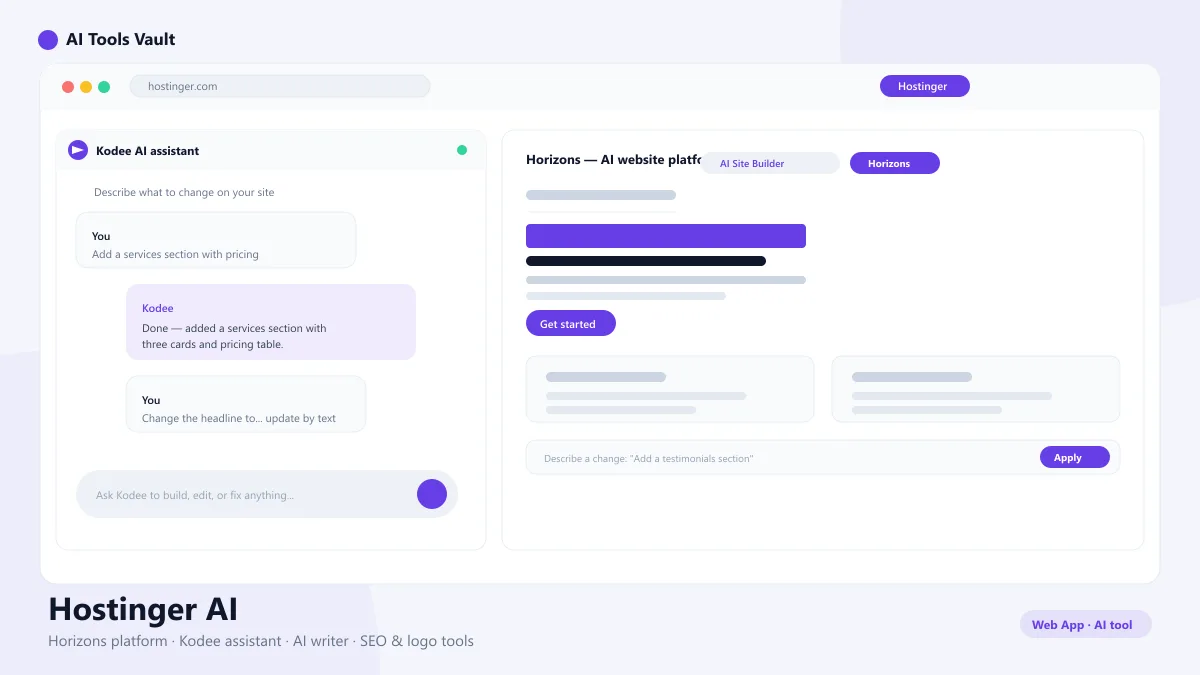
Hostinger AI website builder interface showing Horizons platform and Kodee assistant

What Is Hostinger AI?

Hostinger AI is the artificial intelligence stack built into Hostinger's hosting platform. Instead of installing WordPress and configuring plugins, you describe your business and the platform generates a complete, hosted website — copy, design, pages, and images — that goes live on Hostinger's servers. It is aimed at small business owners who want a professional site without hiring a developer.
It is not a single tool but a family of features: the AI website builder, the Horizons platform, the Kodee AI assistant, an AI writer, an SEO agent, and a logo generator. They share one login, one subscription, and one dashboard, which keeps the cost and the learning curve low.

Hostinger Horizons — AI Website Platform

Hostinger Horizons is the newer, agentic AI website platform from the company. Where the classic builder generates a site from one prompt, Horizons lets you build and edit iteratively — you describe changes in plain language and the platform updates the site in real time, page by page.
Horizons suits owners who know roughly what they want and want an AI that executes as they refine. It is part of the same subscription, so you are not choosing between builders — you get both, and you can move a project between them.

Kodee AI — Hostinger's Built-In AI Assistant

Kodee is Hostinger's built-in AI assistant, available across the hosting panel and the website builder. Ask it to help with tasks like fixing a broken layout, writing copy, generating images, or explaining a hosting feature, and it works inside the product instead of sending you to an external chatbot.
Kodee is what makes this whole system feel cohesive: the assistant is the entry point to the AI writer, SEO agent, and logo generator, so you never have to hunt for a feature. For beginners especially, it turns a complex hosting dashboard into something approachable.

Hostinger AI Writer and Blog Generator

The AI writer drafts blog posts, landing pages, and product descriptions from a short brief. You pick a topic, tone, and length, and it produces publishable copy in seconds, then lets you refine it in the same editor. It is strong enough for a small business that needs fresh content without a copywriter.
The blog generator expands that into multi-post content plans, so you can create an entire content calendar and let the platform produce the drafts. Combined with the SEO agent, this gives small sites a realistic path to ranking for local keywords.

Hostinger AI SEO Agent and Logo Generator

The SEO agent analyzes your site and generates actionable recommendations: keyword suggestions, meta descriptions, alt text, and page improvements tailored to your pages. You apply the changes directly, which keeps optimization from feeling like guesswork.
The logo generator creates a custom brand mark from a text prompt, with color palette options, so even a brand-new business looks designed from day one. Both tools are included in the paid plans rather than sold as expensive add-ons.

How to Build a Website with Hostinger AI

Building a website with this builder takes minutes. You start in the AI builder, answer a few questions about your business — name, industry, location, and services — or simply describe it in a sentence. The platform then generates the site structure, copy, and imagery automatically.
From there you can edit anything: change text with the built-in writer, swap images, rearrange sections, and add an online store if you sell products. When you are happy, publish to your domain — hosting, SSL, and performance are already handled, so the site goes live in one click.
  • Answer a few questions about your business
  • AI generates the site, copy, and images
  • Refine with the visual editor and Kodee
  • Publish to a hosted domain with SSL included

Hostinger AI Pricing

Pricing is built around hosting subscriptions rather than per-use credits. The AI Site Builder plan starts at about $2.99 per month on introductory annual billing and includes AI website generation, hosting, a free domain for the first year, and SSL. Premium at $3.99 per month adds more storage and e-commerce; Business at $5.99 per month adds daily backups and advanced AI SEO tools.
The main caveat is renewal: intro rates typically jump to the standard price when your term ends, so the real monthly cost is higher than the advertised figure. For a small business, the package still undercuts hiring a designer or buying separate hosting, builder, and SEO subscriptions. All three plans include free SSL, a free domain for the first year, and round-the-clock support. You can upgrade, downgrade, or cancel anytime, renewals are billed annually, and support replies within minutes during usual business hours.

Compare Plans & Pricing

AI Site Builder from $2.99/mo (intro annual); Premium $3.99/mo; Business $5.99/mo

Most Popular

AI Site Builder

$2.99/mo

Introductory annual pricing for a hosted AI-built site.

  • AI website generation
  • Horizons and Kodee access
  • Hosting included
  • Free SSL and domain
Start Building

Premium

$3.99/mo

More resources for growing sites.

  • Everything in AI Site Builder
  • More storage and bandwidth
  • E-commerce support
  • Priority support
Choose Premium

Business

$5.99/mo

For business sites with heavier needs.

  • Everything in Premium
  • Daily backups
  • Advanced e-commerce
  • Full AI SEO toolkit
Choose Business

Hostinger AI vs Wix AI

Wix AI and this platform both build complete websites from prompts, but they take different approaches. Wix has a huge template ecosystem and a strong drag-and-drop editor, plus a permanent free plan. This one is hosting-first: you get the site builder, hosting, email, and AI tools in one cheap subscription.
For owners on a tight budget who want everything in one bill, this platform is usually the better value. For owners who want maximum design flexibility or a free starting tier, Wix is the safer bet. Both are legitimately good — the choice is really about where you want to compromise.

Pros and Cons

It offers one of the best price-to-feature ratios in the AI website builder space: hosting, AI generation, writing, SEO, and logo tools under one roof. The trade-offs are renewal price jumps, less granular design control than premium editors, and a dashboard that can feel busy for complete beginners. For a fast, affordable, fully hosted website, it is hard to beat.

Pros

  • Very low introductory pricing
  • Hosting included in every plan
  • AI writer, SEO agent, and logo generator built in
  • E-commerce support on paid plans

Cons

  • Intro prices jump on renewal
  • Less design freedom than Wix AI
  • Dashboard can feel busy for beginners

Best For

Recommended use cases and scenarios where Hostinger AI shines.

Frequently Asked Questions

Common questions about Hostinger AI, answered.

Is Hostinger AI free?

No. It runs on paid hosting plans starting around $2.99 per month on introductory annual billing. There is no permanent free tier like some standalone builders.

What is Hostinger Horizons?

Horizons is Hostinger's newer agentic AI website platform. You build and refine a site by describing changes in plain language, and the platform applies them in real time.

What does Kodee AI do?

Kodee is Hostinger's built-in AI assistant. It helps with tasks like writing copy, generating images, fixing layout issues, and explaining hosting features from inside the dashboard.

Does Hostinger AI include SEO tools?

Yes. The AI SEO agent analyzes your site and recommends keywords, meta descriptions, and page improvements, and the logo generator creates a custom brand mark from a text prompt.

Is Hostinger AI good for beginners?

Yes. The AI builder, Kodee assistant, and step-by-step editor are designed for people who have never built a website, and hosting is fully managed so you never deal with servers.

Reviews & Ratings

4.4

Based on 5,000 reviews

5
66%
4
19%
3
9%
2
4%
1
2%

Share your experience

Your rating

Loading reviews...

M

Marcus Webb

Very capable tool. A couple of rough edges, but the team ships updates quickly.

E

Elena Petrova

Solid, but the free tier is quite limited. The paid plans are where it shines.

A

Alex Chen

Game changer for my daily workflow. The quality of output consistently surprises me.

Explore More Web & App Builders Tools

Browse the full AI Tools Vault directory to compare Hostinger AI with every web & app builders tool, or line up your shortlist side by side.

Similar Tools

More Web & App Builders tools you might like

Windsurf AI tool logo

Windsurf

Web & App BuildersFreemium
Best for: Agentic coding in a full IDE

Codeium's agentic AI IDE with Cascade — an agent that plans, edits, and runs across your whole codebase while you review the changes.

4.6(7.4k)
Visit Website
Lovable AI tool logo

Lovable

Web & App BuildersFreemium
Best for: Prompt-to-app development

An AI app builder that turns a plain-English prompt into a production-ready web app — with a database, authentication, and one-click deploy.

4.6(5.2k)
Visit Website
v0 AI tool logo

v0

Web & App BuildersFreemium
Best for: AI UI & web app generation

Vercel's AI web app builder — describe a UI or app in text and get production-ready React code, ready to deploy on Vercel.

4.5(6.1k)
Visit Website

Guides & Articles about Hostinger AI

Read our detailed reviews and comparisons covering Hostinger AI