
NotebookLM Review
AI AgentsFreemiumGoogle's AI research notebook that summarizes your sources, answers questions with citations, and turns documents into podcasts and study guides.

What Is NotebookLM?
It's Google's AI research notebook. Unlike a general chatbot, it works exclusively from sources you provide — PDFs, Google Docs, websites, slides, and even YouTube links. It answers questions grounded in those documents and quotes the exact source passages, so you can verify everything it says. It launched from Google Labs in 2023 and quickly became one of the most talked-about AI tools of the year.
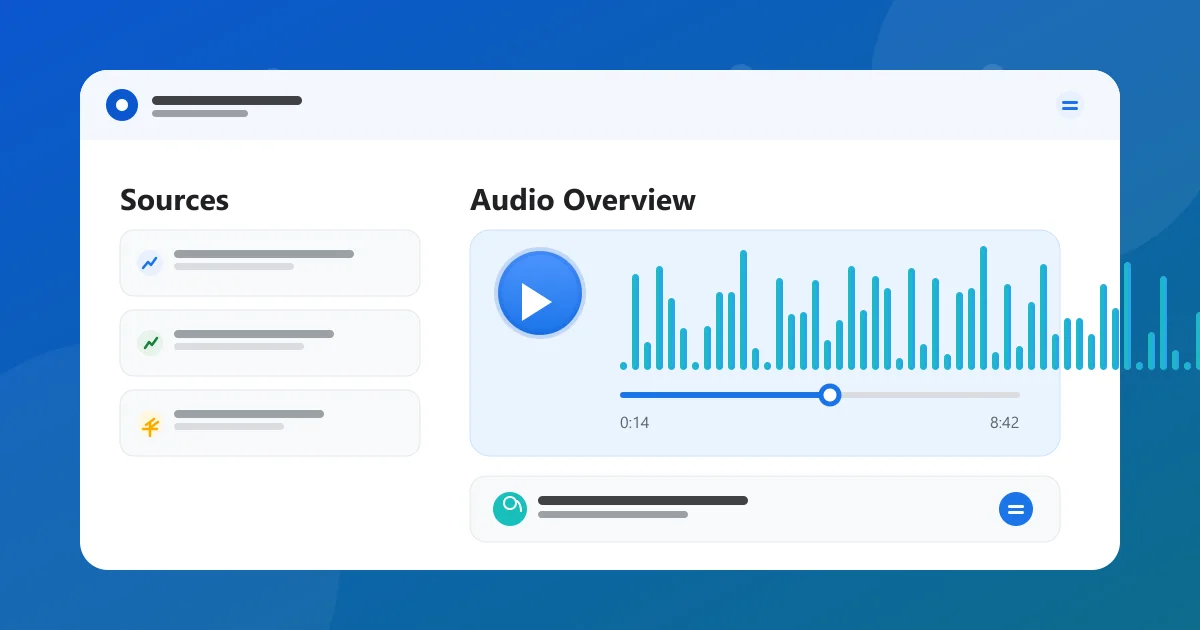
Its Audio Overviews feature made it famous: the AI generates a conversation between two hosts discussing your materials, turning dense research into something you can listen to on a commute.
For students, researchers, and professionals working through large document sets, it acts like a personal research assistant that never forgets a source.
The notebook metaphor is literal: each notebook holds its own sources, notes, and chats, so you can keep separate projects cleanly organized without cross-contamination.
Everything stays within your sources, so the tool is comfortable with private and confidential documents that you wouldn't paste into an open chatbot.
NotebookLM Audio Overview — Text to Podcast
Audio Overview turns any notebook into a podcast-style discussion. Two AI hosts talk through your documents, summarize the key ideas, and even react to interesting details — like a briefing you can listen to while driving.
You can generate an Audio Overview from a single source or a whole notebook, and download the MP3 to share or listen offline.
It works surprisingly well on dense material: the hosts paraphrase accurately, introduce concepts naturally, and keep the discussion focused on what's actually in your sources.
Teams use it to turn meeting notes, research briefs, and product docs into listenable recaps, so members can catch up without reading everything.
- Two AI hosts discuss your documents
- Turn any notebook into a shareable MP3
- Works from single sources or full notebooks
- Natural summaries of dense material
NotebookLM Mind Map & Infographics
The mind map feature visualizes how ideas in your sources connect. It draws a structured map of key concepts and themes, which makes a large document set much easier to grasp at a glance.
Infographics and visual summaries can be generated from your notes, turning raw research into presentation-ready visuals without any design work.
Both features inherit the grounding of the rest of the product — every visual element traces back to a real source, so nothing is invented.
Maps update as you add sources, so the structure reflects the full picture of a project rather than a static outline.
- Auto-generated mind maps of your sources
- Visual summaries and infographics from notes
- Every element grounded in real sources
- Great for study and presentation prep
NotebookLM for Research Papers & Literature Review
For academic reading, the tool excels at literature review. Upload the papers you're reading and it will summarize findings, compare methods, and surface themes across all of them.
Researchers use it to triage a reading list, extract key results, and draft early-stage literature reviews with every claim traceable to a paper.
Because answers cite exact passages, you can jump into the PDF to verify a claim before you put it in your own writing.
Grad students often pair it with a citation manager, uploading the full-text PDFs and keeping the questions and notes in the notebook.
- Summarize and compare whole paper stacks
- Surface themes across sources
- Every claim traceable to a PDF passage
- Streamlines the reading-list triage
NotebookLM Citations & Source Accuracy
The core guarantee is grounding: every answer is built from your uploaded sources and annotated with citations that jump to the exact passage.
That eliminates the hallucination problem that plagues open-ended chatbots when you need accurate, verifiable answers from specific documents.
Citation numbers appear inline, and clicking one highlights the original text — so you can audit any answer in seconds.
It's this traceability that makes the tool trustworthy enough for academic and professional work, where an unverifiable answer is worse than no answer.
- Answers grounded in your sources only
- Inline citations with source highlights
- Click through to the exact passage
- Built for verifiable, accurate answers
NotebookLM Upload Limits
On the free plan you get up to 100 notebooks and 50 sources per notebook, with a 500,000-word cap per source.
Plus raises the ceiling to 500 notebooks and 300 sources per notebook, so it scales to heavy research projects and team work.
The limits matter mainly for large literature reviews and enterprise document sets — most individual workflows fit comfortably inside the free tier.
One practical tip: split a very large document set across multiple notebooks to stay inside the per-notebook source cap while keeping projects organized.
- Free: 100 notebooks, 50 sources each
- 500,000 words per source
- Plus: 500 notebooks, 300 sources each
- Scales to heavy research and teams
NotebookLM Pricing — Free vs Pro Plan
The free tier is genuinely generous: up to 100 notebooks, 50 sources per notebook, grounded Q&A with citations, and a limited number of Audio Overviews.
Plus comes bundled with Google One AI Premium at $19.99/month, which also includes Gemini Advanced. It raises limits to 500 notebooks and 300 sources per notebook, multiplies Audio Overviews, and adds custom responses and sharing.
For students and individual researchers the free plan is usually enough; Plus is worth it for power users and teams who want higher limits and collaboration features.
There's no separate billing page to manage — Plus is included automatically once your Google One AI Premium subscription is active.
Compare Plans & Pricing
Free; Plus via Google One AI Premium $19.99/mo
Free
For personal research and learning.
- 100 notebooks
- Up to 50 sources per notebook
- Grounded Q&A with citations
- Limited Audio Overviews
NotebookLM Plus
Via Google One AI Premium, with Gemini included.
- 500 notebooks
- 300 sources per notebook
- 5x more Audio Overviews
- Custom responses & sharing
NotebookLM vs ChatGPT
ChatGPT is a general-purpose assistant that answers from its training data and the web. It's broad and versatile, but its answers aren't tied to your documents.
The notebook app is deliberately source-grounded: it only answers from what you upload, with citations back to exact passages. That makes it more trustworthy for deep work on a specific set of documents.
Use ChatGPT when you need a flexible assistant for many tasks; use this app when you need accurate answers from your own materials.
Both tools get better together: generate broadly with ChatGPT, then upload the result into a notebook to verify it against your own sources.
NotebookLM vs Perplexity
Perplexity searches the live web and cites pages, which is great for current events and up-to-date research.
The notebook app works the other way — closed, grounded, and limited to your uploaded sources. That control makes it better for private documents and academic work where the source set matters more than recency.
Perplexity for the open web, this app for your own files.
Researchers often use Perplexity to discover what's out there, then bring the promising documents into a notebook to analyze them deeply.
Pros and Cons
Here's a quick summary of where the tool shines and where it falls short.
The combination of source grounding, citations, and viral features like Audio Overviews makes it one of the most useful AI research tools available.
Power users will eventually hit the free tier's limits and need Plus — but for most students and researchers, the free plan is plenty to get serious work done.
There is no installation and no separate account — it works inside Google's ecosystem, which is a small but real convenience for existing Google users.
Pros
- Answers grounded in your own sources
- Free to use for most workflows
- Citations link to exact passages
- Audio Overviews turn notes into podcasts
Cons
- Notebook limits on the free tier
- Best features need Plus
- Grounded answers limited to your sources
Best For
Recommended use cases and scenarios where NotebookLM shines.
Frequently Asked Questions
Common questions about NotebookLM, answered.
What is NotebookLM?
It's Google's AI research notebook. You upload your own sources and it answers questions grounded in those documents, with citations to the exact passages so you can verify every claim.
Is NotebookLM free?
Yes, with generous limits. The free plan includes up to 100 notebooks, 50 sources per notebook, grounded Q&A with citations, and a limited number of Audio Overviews.
What is NotebookLM Audio Overview?
It's a feature that turns your notes into a podcast-style discussion between two AI hosts. It summarizes your documents conversationally and exports as an MP3 you can share or listen to offline.
Does NotebookLM cite its sources?
Yes. Every answer is grounded in your uploaded sources with inline citations, and clicking a citation highlights the exact passage in the original document.
Is NotebookLM better than ChatGPT?
It depends. ChatGPT is a broad general-purpose assistant, while this tool is deliberately source-grounded — it only answers from your documents with citations. For deep work on your own materials, it's the more trustworthy choice.
Reviews & Ratings
4.8
Based on 9,600 reviews
Loading reviews...
James Okafor
Great value for the price. The learning curve is small and the payoff is big.
Hannah Lee
Reliable and polished. I only wish the advanced features were on lower tiers.
Marcus Webb
Very capable tool. A couple of rough edges, but the team ships updates quickly.
Explore More AI Agents Tools
Browse the full AI Tools Vault directory to compare NotebookLM with every AI agents tool, or line up your shortlist side by side.
Similar Tools
More AI Agents tools you might like

ChatGPT Agent
ChatGPT Agent lets ChatGPT plan and run multi-step tasks by itself, using apps, files, and cloud browser tools while you stay in the loop.

AutoGPT
AutoGPT is an open-source autonomous AI agent that plans multi-step goals, runs them with tools and web access, and reports back without constant human prompting.

Perplexity Labs
Perplexity Labs is Perplexity's playground for building AI apps, generating code, and researching deep questions in one place.
Guides & Articles about NotebookLM
Read our detailed reviews and comparisons covering NotebookLM
 Guides & How-To
How to Use NotebookLM Audio Overview: A Step-by-Step Guide
Learn how to create a NotebookLM Audio Overview step by step — turn notes, PDFs, and YouTube links into podcast-style audio, and get the best results with pro tips.
 AI Tools Vault Team
 Comparisons
Best AI Agents in 2026: Manus, Devin & Genspark
The best AI agents in 2026 compared — Manus AI, Devin AI and Genspark for autonomous tasks, software engineering, and research. Pricing, free tiers, and verdicts.
AI Tools Vault Team Comparisons
NotebookLM vs Claude Code: Hot AI Tools 2026
NotebookLM and Claude Code are 2026's most talked-about AI agents — one organizes your research, the other ships your code. Here's how they compare and what to use them for.
AI Tools Vault Team