Skip to content
Playground AI Image Generation AI tool logo

Playground AI Review

Image GenerationFreemium
Best for: AI image generation & design

A free AI image generator with a Canvas editor for social designs, logos, mockups, and print-on-demand graphics.

4.6(12k)
Founded 2022
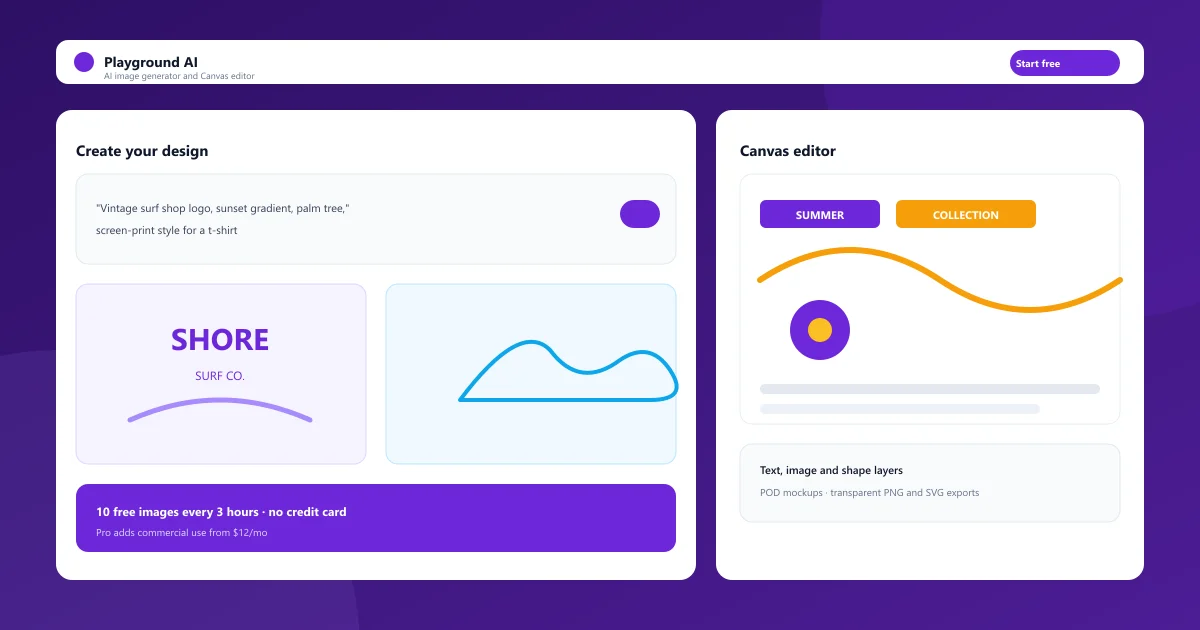
Playground AI Canvas editor interface showing AI image generation and editing

What Is Playground AI?

Playground AI is a browser-based AI image generator and design studio founded in 2022 by Suhail Doshi, who previously built Mixpanel. You type a prompt, pick a template, or upload an image, and it generates editable designs using models like Playground v4, GPT Image, Nano Banana, and Seedream. What separates it from most generators is the Canvas workspace: instead of downloading a single image and opening another app, you finish the design in place.
The platform grew quickly on the strength of its free plan and its template library. Today more than 13 million creators use it to make social posts, logos, product shots, memes, and print-on-demand graphics, and over a billion images have been generated through the service.

Playground AI Image Generator

The generator supports multiple models behind a single prompt box. Playground v4 and v3 focus on speed and design-aware output, while GPT Image, Nano Banana, and Seedream handle photorealistic and high-fidelity edits. Each model brings different strengths, so you can switch depending on whether you need a stylized illustration, clean typography, or a product photo.
Text-to-image prompting is built directly into the template categories, so you can start from a t-shirt, flyer, or social post canvas and describe the design you want. Style presets, aspect ratios, and color palettes apply to every generation.
  • Text-to-image across Playground v4, GPT Image, Nano Banana, and Seedream
  • Style presets, aspect ratios, and color palettes
  • Prompt box built into every template category
  • Inpainting, outpainting, and AI edits on any layer

Playground AI Canvas — Editing Tool

The Canvas is a layer-based design editor that works like a simplified Photoshop for AI output. You can stack text, image, and shape layers, drag in your own files, add background colors, and reorder elements. Rich text editing lets you adjust font, size, color, line spacing, and kerning inside a single text layer, and every change is saved to the design file.
Because generation and editing happen in the same workspace, you avoid the copy-to-another-app workflow. Resize the canvas to standard ratios without losing your layout, export transparent PNGs, and on paid plans export SVG files ready for further use.
  • Text, image, and shape layers on one canvas
  • Drag-and-drop uploads and transparent image insertion
  • Rich text editing with fonts, spacing, and kerning
  • Canvas resizing, undo/redo, and duplicate designs

Playground AI for Print on Demand

The platform has a native print-on-demand workflow, which is rare among image generators. Template categories cover t-shirts, stickers, mugs, phone cases, wall art, and more, so you start from a product-shaped canvas rather than a square image that needs cropping later.
AI mockups place your design on a product preview, and background removal plus transparent PNG exports give you files that are ready to upload to Etsy, Redbubble, Merch by Amazon, or Printify. SVG exports on paid plans add another layer of print readiness for cut files and vinyl.
  • T-shirt, sticker, mug, and phone case templates
  • AI mockups that place designs on products
  • Transparent PNG and SVG exports
  • Background removal built into the editor

Playground AI Commercial Use & Logo Design

Licensing is the question buyers ask most, and the answer is clear. The free plan is personal use only: you cannot sell free-tier images on Etsy, Redbubble, or in client work. Pro and Pro Plus include a worldwide, royalty-free commercial license, so images you generate on paid plans can be used in products, on merchandise, in ads, and for paying clients.
For logo design, the Canvas is a genuine advantage. You can iterate on typography, colors, and layouts, request AI edits to refine a concept, and export transparent files ready for a brand kit or an online storefront.
  • Free plan output is personal use only
  • Pro and Pro Plus include worldwide commercial licenses
  • Logo iterations with text, color, and AI refinement
  • Transparent PNG and SVG exports for brand use

Playground AI Pricing — Free vs Paid Plans

Pricing runs a straightforward freemium model. Free users get 10 image generations every three hours, three premium model edits per month, and ten downloads per day — enough to evaluate the tool without a credit card.
Pro costs $15 per month, or $12 per month billed annually, and unlocks 75 generations per window, 150 monthly credits across premium models, unlimited downloads, background removal, upscaling, the premium template library, and the commercial license. Pro Plus is $45 monthly or $36 annually for unlimited generation, 1,000 credits including Nano Banana Pro, 4K AI editing, priority support, and API access. A one-day Pro pass costs $8 for occasional heavy use.

Compare Plans & Pricing

Free $0; Pro $15/mo ($12/mo billed annually); Pro Plus $45/mo ($36/mo billed annually); $8 one-day Pro pass

Free

$0/mo

Enough generation to evaluate the tool, personal use only.

  • 10 images per 3-hour window
  • 3 premium model edits per month
  • 10 downloads per day
  • Unlimited design files
  • Playground v4 and v3 access
Start Free
Most Popular

Pro

$12/mo

The commercial tier, billed annually at $144/year ($15 monthly).

  • 75 images per 3-hour window
  • 150 premium model credits per month
  • Unlimited downloads
  • Worldwide commercial license
  • Background removal and upscaling
  • Premium template library
  • Up to 2K AI editing
Go Pro

Pro Plus

$36/mo

Unlimited generation and 4K editing, billed annually ($45 monthly).

  • Unlimited image generation
  • 1,000 premium model credits per month
  • 250 Nano Banana Pro edits per month
  • 4K AI editing
  • Priority support
  • API access
Go Pro Plus

Playground AI vs Midjourney

Midjourney is the benchmark for pure artistic image quality, but it stops at generation — you take the image and finish the job elsewhere. Playground pairs generation with an editing canvas, templates, and mockups, so you can produce a finished design in one tool.
For photorealistic and heavily stylized art, Midjourney often wins on raw quality. For graphic design, text-heavy visuals, and any workflow that ends in a sellable product, the free tier and all-in-one editor here make it the practical choice.

Playground AI vs Leonardo AI

Leonardo AI is the closest direct competitor: it also offers free daily generation and a canvas editor. The trade-off comes down to templates and workflow. Playground leans harder into ready-made designs — stickers, t-shirts, flyers, social posts — while Leonardo leans toward model fine-tuning and generation control.
If you want to experiment with models, styles, and advanced generation settings, Leonardo is strong. If you want to open a template, generate, edit, and export a sellable design quickly, the Canvas workflow here is faster for that job.

Pros and Cons

Playground is one of the most complete free image tools available, with the caveat that free output is licensed for personal use only.

Pros

  • Generous free plan with real image generation
  • Canvas editor combines generation and design
  • Native print-on-demand and mockup workflows
  • Worldwide commercial license on paid plans

Cons

  • Free plan output is personal use only
  • Premium model access is tightly capped on free
  • Canvas is simpler than pro design tools
  • Free downloads limited to 10 per day

Best For

Recommended use cases and scenarios where Playground AI shines.

Frequently Asked Questions

Common questions about Playground AI, answered.

Is Playground AI free to use?

Yes. The free plan needs no credit card and includes 10 image generations every three hours, three premium model edits per month, and ten downloads per day. It is licensed for personal use only.

Can I use Playground AI images commercially?

Only on paid plans. Pro and Pro Plus include a worldwide, royalty-free commercial license covering Etsy, Redbubble, Merch by Amazon, Printify, and client work. Free-tier images are personal use only.

Is Playground AI good for print on demand?

Yes. Template categories cover t-shirts, stickers, mugs, phone cases, and wall art, with AI mockups, background removal, and transparent PNG or SVG exports designed for POD platforms like Etsy and Redbubble.

Does Playground have a canvas editor?

Yes. The Canvas is a layer-based editor where you can add text, image, and shape layers, drag in your own uploads, and refine AI-generated designs before exporting the finished file.

Is Playground better than Midjourney?

It depends. Midjourney produces higher-quality artistic images, while Playground adds editing, templates, and print-on-demand workflows — and a free tier that actually generates images. For finished, sellable designs, the Canvas editor here is usually faster.

Reviews & Ratings

4.6

Based on 12,000 reviews

5
77%
4
13%
3
6%
2
3%
1
1%

Share your experience

Your rating

Loading reviews...

M

Marcus Webb

Very capable tool. A couple of rough edges, but the team ships updates quickly.

E

Elena Petrova

Solid, but the free tier is quite limited. The paid plans are where it shines.

A

Alex Chen

Game changer for my daily workflow. The quality of output consistently surprises me.

Explore More Image Generation Tools

Browse the full AI Tools Vault directory to compare Playground AI with every image generation tool, or line up your shortlist side by side.

Similar Tools

More Image Generation tools you might like

Midjourney AI tool logo

Midjourney

Image GenerationPaid
Best for: Artistic image generation

Midjourney AI is the industry-leading text-to-image generator behind the V8.2 model, known for stunning artistic and photorealistic outputs.

4.7(15.2k)
Visit Website
Craiyon AI tool logo

Craiyon

Image GenerationFreemium
Best for: Free, simple AI image generation

Craiyon is a free AI image generator — formerly DALL·E mini — that turns text prompts into 9 image variations in seconds, with no account required.

DALL·E AI tool logo

DALL·E

Image GenerationFreemium
Best for: Simple prompt-to-image generation

OpenAI's image generator that turns text prompts into detailed, original images inside ChatGPT.

4.6(19.8k)
Visit Website