AI Powered Coding Assistant: How AI Helps Developers
What an AI powered coding assistant actually does, where it helps most, where it can fail, and how developers at every level should evaluate and use these tools.


What an AI powered coding assistant actually does, where it helps most, where it can fail, and how developers at every level should evaluate and use these tools.
An AI powered coding assistant is a development tool that uses large language models to help you write, understand, and fix code. It sits inside your editor or runs from the command line, observes what you are working on, and offers suggestions ranging from completing a single line to restructuring an entire function. In practice, it acts like a knowledgeable colleague who is always available to review, explain, or draft code — though one that still needs oversight.
The idea is not new. Autocomplete has existed in editors for decades. What changed is the underlying model: modern AI coding tools are trained on massive collections of public code and natural language, which lets them understand intent, not just syntax. You can describe what you want in plain English, and an AI powered coding assistant generates a working implementation. You can paste a cryptic error message, and it explains what went wrong and suggests a fix. That shift — from pattern matching to contextual understanding — is what made these tools genuinely useful rather than merely convenient.
This guide explains what an AI coding assistant can actually do, where it delivers real value, where it falls short, and how developers at different experience levels should approach using one.
The capabilities fall into a few clear categories, and understanding them helps set realistic expectations.
Code generation from description. You write a comment or a short prompt describing what you need — a function that parses CSV data, a React component with a specific layout, a SQL query that joins three tables — and an AI powered coding assistant produces a working draft. This is where these tools save the most time on tasks that are well-defined but tedious to write from scratch.
Autocomplete and inline suggestions. As you type, an AI powered coding assistant predicts the next lines based on context. Good autocomplete does more than finish variable names: it completes entire logic blocks, mirrors patterns from elsewhere in your codebase, and adjusts to your naming conventions. This feature is available in nearly every coding assistant, from GitHub Copilot to Codeium.
Code explanation and documentation. Highlight a block of unfamiliar code and ask an AI powered coding assistant to explain it. It can walk through the logic, identify what each variable does, and suggest comments or documentation. For teams working with legacy code or onboarding new members, this alone justifies the tool.
Refactoring and restructuring. The assistant can suggest cleaner implementations — extracting repeated logic into helper functions, converting callback patterns to async/await, or simplifying complex conditionals. These suggestions are starting points, not final answers, but they often surface improvements a developer might not notice during a busy sprint.
Test generation. Describe the behavior you want to test, and an AI powered coding assistant generates test cases with assertions. It can produce unit tests, integration test scaffolding, and edge-case scenarios. The tests still need review — the assistant does not know your business rules — but the scaffolding saves real time.
Under the hood, an AI powered coding assistant is a large language model — the same class of model behind tools like ChatGPT and Claude — fine-tuned for code. The model has learned patterns from millions of repositories: how functions are structured, how errors are handled, how different languages express the same logic. When you type code or ask a question, it predicts the most likely continuation based on everything it has seen.
That prediction process explains both the strengths and the limitations. The model is excellent at reproducing common patterns — CRUD operations, standard API calls, well-documented algorithms — because it has seen thousands of examples. It struggles with novel logic, domain-specific business rules, or code that depends on context it cannot see, like internal APIs or undocumented conventions.
Modern AI coding tools add layers on top of the raw model. An AI powered coding assistant indexes your project so it understands your file structure and dependencies. It provides conversation history so follow-up requests make sense. Some, like Cursor, let you switch between models to match the task — one model for fast completions, another for complex reasoning. Others, like Claude Code, run as terminal agents that can execute commands and iterate on their own output.
The honest answer is that these tools are strongest on well-defined, repetitive tasks and weakest on ambiguous, highly contextual ones. Knowing where the line sits prevents frustration.
Boilerplate and scaffolding. Setting up a new project, writing configuration files, creating standard directory structures, generating type definitions — this is the work most developers are happiest to delegate. An AI powered coding assistant handles it quickly and correctly most of the time.
Small to medium functions. Need a function that validates email addresses, formats a date string, or implements a binary search? The assistant generates a correct implementation in seconds. The more standard the problem, the better the output.
SQL and data queries. Describing a query in English and getting valid SQL back is one of the most practical uses of an AI powered coding assistant. It handles joins, aggregations, and filtering logic well, especially for common database patterns.
Regular expressions. Writing regex from memory is error-prone for most developers. Describing what you want to match and getting a working pattern is a genuine productivity gain.
Learning and exploration. When you encounter an unfamiliar library or API, the assistant can explain how it works, show usage examples, and compare it to alternatives. It is like having a documentation search that understands your specific question.
Debugging is one of the most practical applications of an AI powered coding assistant, and also one where developers need to stay critical.
When you encounter an error, paste the error message and relevant code into the assistant. It will typically identify the error type, explain what the message means in plain language, point to the likely cause in your code, and suggest a fix. For common errors — null pointer exceptions, type mismatches, incorrect API usage — the suggestions are usually accurate.
The assistant also helps with a subtler debugging task: understanding unfamiliar code. When you inherit a codebase or work with a library you have not used before, asking the assistant to trace through the logic and explain what each section does can save hours of manual reading.
The limitation is that the assistant does not run your code. It cannot observe runtime behavior, inspect variable states at a breakpoint, or reproduce environment-specific issues. A suggestion that looks correct in isolation may fail because of a dependency, a configuration, or a race condition that only appears under load. Always test the fix before applying it.
This is the part most developers underestimate until it matters. An AI powered coding assistant sees your code — and depending on the tool and plan, that code may be transmitted to external servers, stored temporarily, or used to improve the model.
Source code confidentiality. If you are working on proprietary code, a client project, or anything subject to non-disclosure agreements, check whether the tool's privacy policy permits processing that code. Many enterprise plans offer code-retention controls and options to exclude your data from model training.
API keys and secrets. Never paste API keys, passwords, or credentials into an AI assistant. Some tools scan for and redact secrets automatically, but you should not rely on that. Use environment variables and secret managers, not clipboard paste.
Private repositories. If your code lives in a private repository, confirm whether the assistant accesses it. Tools like GitHub Copilot and Cursor can index your project for better context — but that means your code is being processed. Enterprise tiers typically include stronger data-handling guarantees.
Compliance requirements. Teams in regulated industries — healthcare, finance, government — should verify that any AI coding tool they adopt meets their compliance requirements, such as SOC 2, HIPAA, or GDPR. Do not assume compliance; confirm it in the provider's documentation.
For someone learning to code, an AI powered coding assistant is both a powerful tutor and a potential crutch. The difference comes down to how you use it.
The productive approach is to treat the assistant as a teacher, not a solution generator. When you are stuck, ask the assistant to explain the concept, not just give you the answer. When it generates code, read every line and ask why it works. When you get an error, paste it in and ask the assistant to walk through the debugging process step by step.
The unproductive approach is copy-paste without understanding. If you consistently accept generated code without reading it, you are not learning — you are deferring. The code may work today, but you will not be able to modify it, debug it, or build on it tomorrow.
A practical rule for beginners: use the assistant to explain, not to replace. Ask it to show you the why behind a solution. Use its test generation to verify your own understanding. Let it catch your mistakes so you can learn from them, rather than letting it make the decisions for you.
For developers with solid fundamentals, the value proposition of an AI powered coding assistant is different. It does not replace your expertise — it removes the friction that slows you down.
Refactoring legacy code. When you need to modernize a module — converting class components to hooks, migrating from callbacks to promises, updating deprecated APIs — the assistant can handle the mechanical transformation while you focus on the architectural decisions.
Writing tests. Test generation is one of the highest-ROI uses of an AI powered coding assistant. You describe the expected behavior, the assistant generates test cases, and you review and adjust. It turns a task that many developers procrastinate into something that takes minutes.
Documentation. Writing documentation is necessary but rarely enjoyable. The assistant can draft API documentation, README sections, and inline comments from code, giving you a solid starting point to refine.
Code review assistance. Some tools can review pull requests and flag potential issues — performance concerns, security patterns, style inconsistencies. It is not a replacement for human review, but it catches low-hanging fruit before a human looks at it.
Exploring unfamiliar APIs. When you need to integrate with a service you have not used, an AI powered coding assistant can show usage patterns, explain authentication flows, and compare approaches. It accelerates the research phase of any new integration.
The right AI powered coding assistant depends on your workflow, not on which one has the longest feature list.
Start with editor compatibility. If you use VS Code, nearly every coding assistant supports it. If you use JetBrains, Neovim, or Xcode, check that your shortlisted tools have extensions for your editor.
Then test the free tier on real work. Spend a week using the assistant on actual tasks — not toy examples. Pay attention to how often the suggestions are useful, how well the tool understands your project context, and whether the workflow feels natural.
Consider what matters most to your situation: enterprise compliance and GitHub integration point toward GitHub Copilot. A strong autonomous agent with model choice points toward Cursor. A generous free tier with fast completions points toward Codeium. Building full apps in the browser points toward Replit AI.
The best AI coding assistant for your workflow is the one that makes your actual daily tasks faster without adding overhead.
The direction is clear: AI coding tools are moving from suggestion to autonomy. Early AI powered coding assistants completed lines. Current assistants edit across files and run tests. The next generation will plan features, manage deployments, and handle routine maintenance tasks with minimal human intervention.
That trajectory does not eliminate the need for developers. It changes the role. developers who once spent hours on boilerplate, test scaffolding, and repetitive refactoring will spend more time on architecture, system design, and the creative decisions that AI cannot make. The developers who thrive will be the ones who learn to work alongside these tools effectively — knowing when to trust the output, when to override it, and when to start from scratch.
For now, the practical move is simple: pick a tool, learn its strengths, use it on real work, and stay critical of the output. An AI powered coding assistant is a powerful complement to your skills, not a substitute for them.
What is an AI powered coding assistant? It is software that uses large language models to help developers write, understand, and fix code. It can autocomplete lines, generate entire functions, explain unfamiliar code, suggest fixes for errors, and assist with documentation.
How does an AI coding assistant work? These tools are built on large language models trained on vast amounts of public code. They predict what code should come next based on context — the file you are editing, your project structure, and the instructions you provide.
Can AI coding assistants write code from scratch? Yes. They can generate functions, classes, SQL queries, regular expressions, test cases, and boilerplate from a natural-language description. The output is usually a solid starting point, but it still needs review before production use.
Can AI coding assistants help debug code? They can interpret error messages, point to likely causes, suggest fixes, and explain unfamiliar code. They work best as a second pair of eyes rather than a guaranteed fix — you still need to test and verify every suggestion.
Are AI coding assistants useful for beginners? Yes, when used as a learning tool. They can explain concepts, walk through errors, and show why a particular approach works. Beginners should avoid copying generated code without understanding it.
Can AI coding assistants replace developers? Not in any realistic sense. They handle repetitive and well-defined tasks efficiently, but complex architecture decisions, system design, understanding business requirements, and reviewing edge cases still require human judgment.
Are AI coding assistants safe for private code? That depends on the provider and plan. Many tools offer enterprise tiers with code-retention controls, SOC 2 compliance, and options to prevent your code from being used for training. Always check the privacy policy before using one on sensitive projects.
How should developers choose an AI coding assistant? Start with compatibility — does it support your editor and language? Then test the free tier on real work for a week. Pay attention to output quality, how well it understands your project, and whether it speeds up your actual workflow.
Get our best AI tool reviews and guides delivered to your inbox each week. No spam, unsubscribe anytime.

Written by
Editorial Team
The AI Tools Vault editorial team researches, tests, and reviews the best AI tools across every category.
More reading on guides & how-to
 Guides & How-To
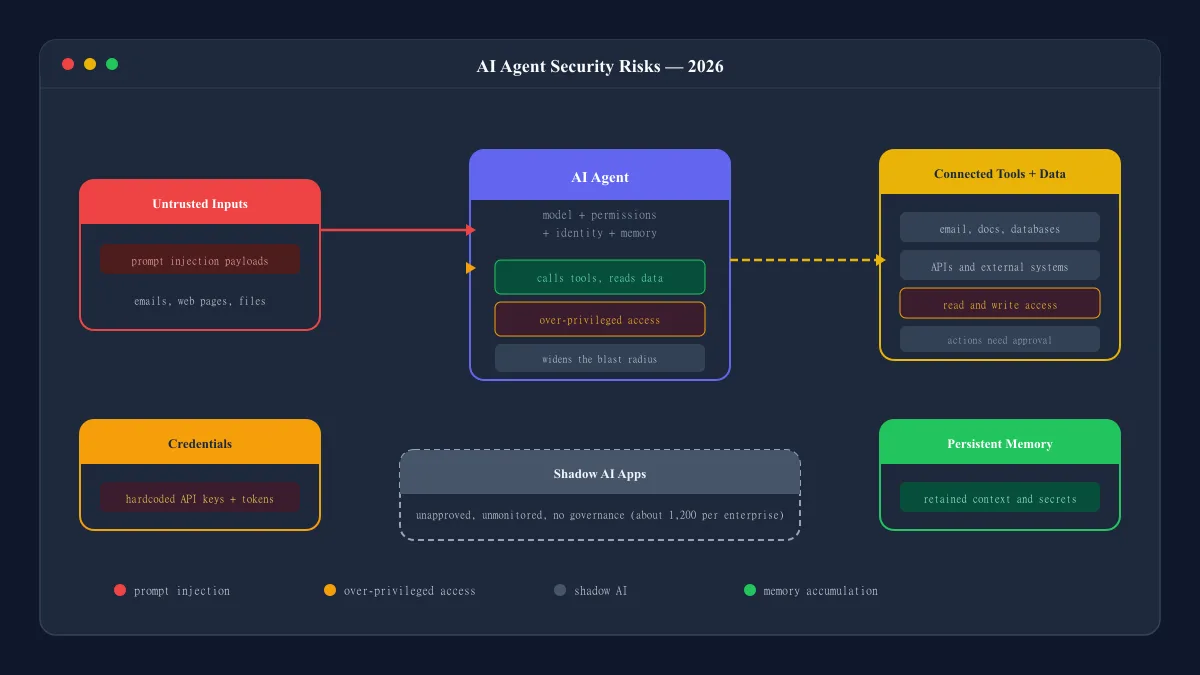
AI agent security in 2026: why connected agents raise new risks, the failures that keep showing up, what the Moltbook incident really teaches, and practical steps that help.
 AI Tools Vault Team
 Guides & How-To
An MCP server is what lets compatible AI applications connect to external tools and data through the Model Context Protocol. Here is how it works, where you have probably seen it, and what to watch out for.
AI Tools Vault Team Guides & How-To
Turn text into natural spoken audio without a microphone or studio. How free AI voice generators work, where the limits are, and how to get better results.
AI Tools Vault Team